
An email account often contains personal conversations, invoices, password-reset messages, documents, and private contacts. Connecting it to another application can be useful, but every additional connection deserves careful review. Searchers may encounter Gmail PVA account terminology, yet phone verification alone does not establish who controls an account or how securely it is managed.
An app password is a special 16-digit passcode for certain applications that cannot use Google’s modern sign-in method. It requires two-step verification and should be used only when necessary. Because it can allow an application to connect to the mailbox, it must be protected like a password and revoked when the connection is no longer trusted or needed.
Some pages advertise Gmail accounts with app-password access, but no third-party listing can replace an owner’s security review. A responsible user should verify account ownership, use approved software, protect recovery methods, and understand exactly which application receives access. The following practices help reduce avoidable exposure.
Use Modern Authentication Whenever Possible
Before generating an app password, check whether the application supports Sign in with Google. This is Google’s recommended approach for most current applications because the user authenticates with Google rather than handing a reusable password to the app. Keep the software updated so that modern authentication features and security fixes are available.
If an application only requests a username and password, verify that it is still maintained and that its developer documents a supported Gmail connection method. Avoid unknown extensions, modified programs, and unofficial utilities that request full mailbox access without a clear reason. Convenience is not worth exposing years of private correspondence.
See also: How to Find, Vet, and Hire a California Lemon Law Attorney
Protect the Primary Account First
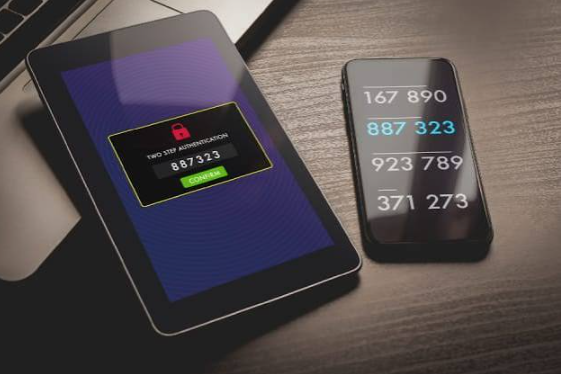
Use a long, unique password for the Google Account and do not reuse it on unrelated websites. Enable two-step verification and select a second factor that you can access reliably. Keep recovery information current and review Google’s security checkup periodically. These steps help protect the account even if a password is exposed elsewhere.
Never share verification codes, recovery codes, or the main account password with another person. Be cautious of messages claiming that an account will be closed unless you provide a code or sign in through a supplied link. Open Google Account settings directly through a trusted browser rather than following unexpected login links.
Store App Passwords Securely
If an app password is genuinely required, generate it from the account owner’s Google security settings. Store it in a reputable password manager protected by a strong master password and, where available, multi-factor authentication. Give the credential a clear label so the owner can identify which application uses it. Do not save it in plain text, public notes, screenshots, or shared spreadsheets.
Limit access to the device and user profile that need the credential. If a team member needs email access, use an approved organizational account or permission system instead of circulating a single app password among several applications or people. Individual access makes it easier to remove one person’s permissions without disrupting everyone else.
Review Devices, Permissions, and Recovery Options
Review devices and connected applications in the Google Account security controls. Remove devices you no longer recognize or use, and revoke app passwords that belong to retired software. If a phone or computer is lost, act quickly: secure the device where possible, review account activity, and remove credentials that could allow access from it.
Recovery details should also be checked. A recovery phone number or email address that belongs to a former employee or an unknown person can create serious access problems. For organizational mailboxes, document who is responsible for recovery and offboarding. Avoid making account recovery dependent on a single employee’s personal device.
Recognize Warning Signs and Respond Quickly
Unexpected password prompts, unfamiliar sent messages, changed forwarding rules, missing mail, or alerts about unknown sign-ins can indicate a security problem. If you suspect unauthorized access, change the primary password from a trusted device, review security activity, remove unfamiliar devices and applications, and check Gmail settings for unexpected forwarding or filters. Follow Google’s account-recovery guidance if you can no longer sign in.
If an app password may have been exposed, revoke that specific credential. Do not assume that changing a mail client’s password field is enough. Review the account’s connected access and make sure the application no longer has permission. If the primary password was also exposed, change it and review the entire account.
Create a Sustainable Email Security Policy
People who manage several authorized mailboxes should define who owns each account, which applications may connect, how credentials are stored, and when access is reviewed. Set a process for employee departures, device replacement, and software retirement. Avoid collecting accounts simply because they are available; every mailbox creates a recovery and security responsibility.
In conclusion, app passwords can be useful for limited compatibility needs, but they should never become a shortcut around secure account management. Prefer modern sign-in, protect the main account, keep app passwords private, and revoke unused access. A small, documented set of authorized connections is easier to secure than an uncontrolled collection of credentials.